Ahmedabad - 382430, Gujarat (India)

In my 20+ years of managing the factory floor at Megabyte Circuit Systems, I have seen brilliant hardware engineers design flawless circuits, only to have their entire production schedule derailed by a single, badly formatted spreadsheet.
When you transition from designing a board to ordering full turnkey assembly, the Bill of Materials (BOM) becomes the most important document in your project. A clean Gerber file tells us how to build the bare board, but the BOM dictates exactly what gets soldered onto it. If you just write “10k resistor 0603” instead of providing the exact Manufacturer Part Number (MPN), you are introducing guesswork into the manufacturing process. Guesswork leads to sourcing delays, mismatched footprints, and ultimately, wasted money.
Whether you are an IoT startup scaling up your first pilot run or an industrial OEM maker finalizing a massive production batch, this guide will show you exactly how to structure your BOM. I am going to walk you through the exact format our procurement engineers look for, highlight the most common mistakes that cause instant delays, and make your transition to full assembly completely seamless.
A turnkey manufacturing BOM must contain definitive component data to automate procurement and machine placement. Essential data points include the exact Manufacturer Part Number (MPN), designated Reference Designators (RefDes), Package/Footprint sizes, and explicit component quantities per board.
A turnkey assembly BOM is vastly different from an internal engineering BOM. Your internal BOM might list generic values and supplier links for hand-soldering a prototype. A manufacturing BOM, however, is fed into automated ERP systems and Pick-and-Place machine software.
When you order an automated PCB Assembly service, our team uses your BOM to source components from authorized distributors like Digi-Key, Mouser, or local Indian suppliers. To eliminate friction, your spreadsheet must be organized with specific, non-negotiable columns.
One thing I always tell my clients is to standardize their columns from day one. Here is the exact breakdown of the data fields you must include:
Column Name | Status | Description | Example Data |
Item # | Mandatory | Sequential line number for tracking. | 1, 2, 3… |
Quantity | Mandatory | Total number of this exact part needed per single board. | 4 |
Reference Designator | Mandatory | The silkscreen label corresponding to the part (must match the PCB). | R1, R2, R3, R4 |
Manufacturer Part Number (MPN) | Mandatory | The unique, exact string from the component manufacturer. | CRCW060310K0FKEA |
Manufacturer | Mandatory | The brand that produces the component. | Vishay / Texas Instruments |
Package / Footprint | Mandatory | The physical dimensions of the component. | 0603, SOIC-8, QFN-32 |
Description | Mandatory | A brief, technical description of the component’s value and specs. | Res SMD 10K Ohm 1% 1/10W 0603 |
Alternate MPN | Highly Recommended | Approved secondary part numbers in case of stock shortages. | RC0603FR-0710KL |
DNI / DNP | Optional | “Do Not Install” or “Do Not Populate” for unpopulated pads. | DNP |
Expert Tip: We highly recommend downloading a standardized Megabyte CSV/Excel BOM template directly from our engineering portal to ensure your columns map perfectly to our quoting software.
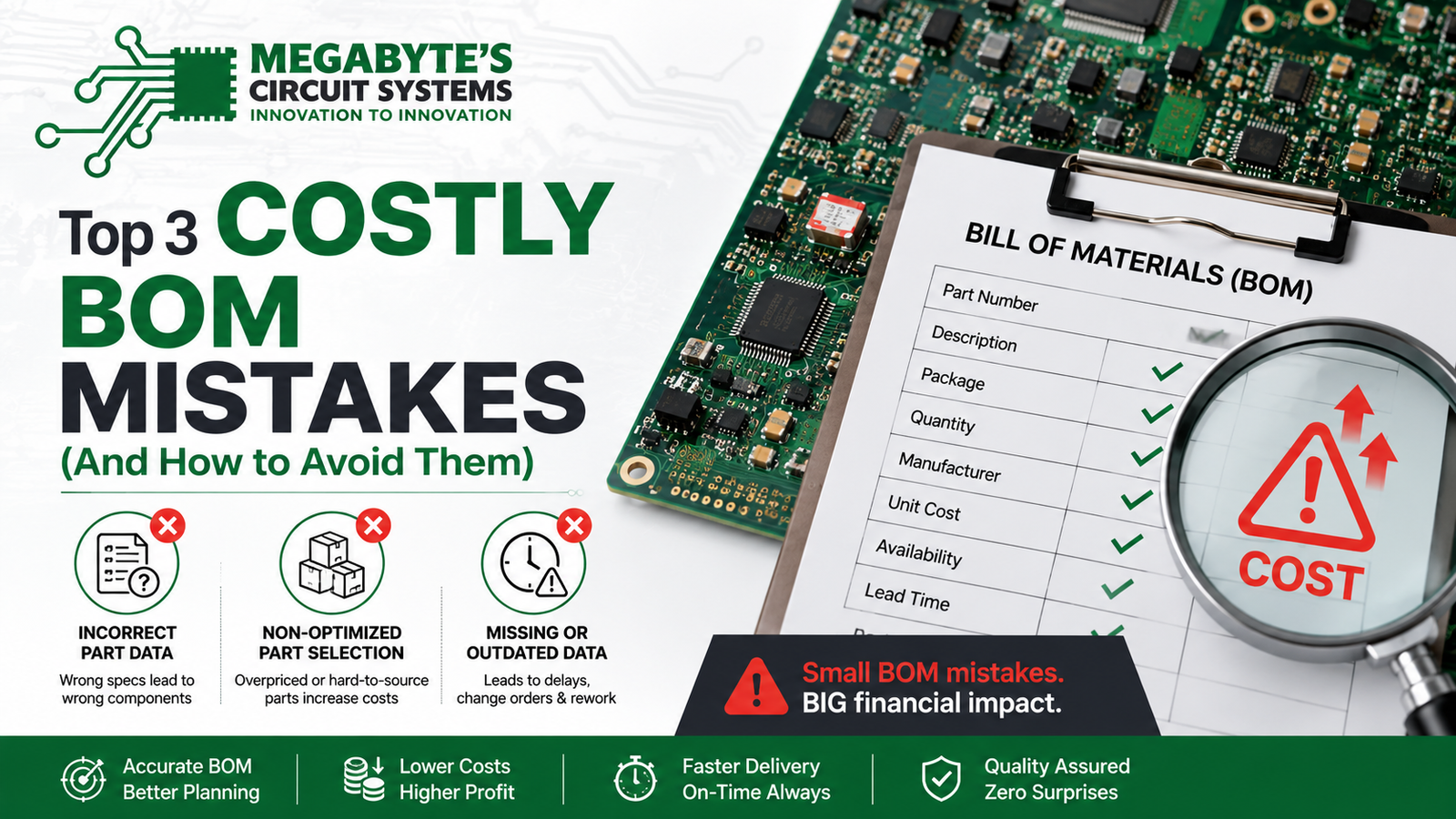
The most frequent BOM errors that stall turnkey assembly include failing to provide alternate part numbers for out-of-stock items, specifying obsolete (EOL) components, and mismatching the BOM footprint with the actual CAD layout. Conducting a pre-production scrub prevents these costly holdups.
We review dozens of BOMs every single week. The errors that trigger an “engineering hold” are almost always the same. If you want your hardware out the door fast, double-check your list for these three critical traps:
The global electronic component supply chain is highly volatile. If you specify a single, hyper-specific voltage regulator and it goes out of stock globally, your entire production line stops. For generic passives (resistors, capacitors) and standard logic ICs, you must provide at least two approved Alternate MPNs. If your primary choice is unavailable, our procurement team can instantly swap to your approved alternative without halting your order to wait for an email reply.
I see this issue very often with legacy designs. An engineer will copy a power supply circuit from a five-year-old reference design and include a chip that is now End-of-Life (EOL). Before finalizing your BOM, run your primary silicon through a distributor database to ensure the parts are marked as “Active.”
Your BOM might state that C1 is an 0805 capacitor, but your actual Gerber files might feature an 0603 pad. When we fabricate a standard Double Layer PCB based on your files, the physical board cannot be changed. If the components arriving from the supplier don’t physically fit the copper pads, you have to buy new parts or spin a new board. Always verify that your CAD library footprints match the exact package codes in your BOM.
Generating a turnkey assembly quote requires calculating bare board fabrication costs, component procurement totals, and SMT/THT assembly labor. Providing a clean, machine-readable BOM allows manufacturers to instantly run API checks against global distributors for accurate pricing and lead times.
When you submit a complete package for full turnkey assembly, we run a parallel quoting process. First, we quote the bare board manufacturing based on your Gerber files. Then, our automated systems and procurement engineers ingest your BOM to calculate the total component cost.
For engineers calculating their own expected budgets, the fundamental assembly cost model looks something like this:
Where $P_i$ is the price of the individual component, $Q_i$ is the quantity, $C_{assembly}$ is the per-pad machine placement cost, and $S_{setup}$ represents the initial stencil and machine programming fees.
By providing an error-free Excel file, our software can use distributor APIs to automatically pull live pricing and stock levels for $\sum (P_i \times Q_i)$, drastically reducing your quote turnaround time from days to mere hours.
Turnkey PCB assembly requires rigorous incoming quality control to verify component authenticity and value prior to placement. Following IPC-A-600 fabrication standards and utilizing Automated Optical Inspection (AOI) guarantees high-yield, reliable production runs.
Handing over both fabrication and procurement to a single partner requires immense trust. You are trusting us to buy genuine parts and place them perfectly. At our Ahmedabad facility, we enforce strict incoming inspection protocols. Every reel of components is verified against the BOM for exact MPN matches and date codes to prevent counterfeit parts from entering the supply chain.
Once the bare boards are fabricated—whether it’s a simple, cost-effective Single Layer PCB for a basic LED array or an advanced Multilayer PCB for a high-speed processor—they undergo standard E-testing. Following surface mount technology (SMT) placement and reflow, the assembled boards run through Automated Optical Inspection (AOI). The AOI machine checks the BOM RefDes against the physical board to verify correct polarity, presence, and solder joint integrity, fully complying with IPC-A-610 assembly standards.
Consolidating unique line items in your BOM drastically reduces machine setup time and sourcing logistics. Leveraging locally stocked, standard-value passive components minimizes import costs and accelerates the overall assembly lead time for domestic OEMs.
If you are a hardware startup or an OEM looking to optimize production costs in India, your BOM is the first place to look. Every unique line item on your BOM requires a separate reel on the Pick-and-Place machine.
If your design uses 4.7k, 5k, and 5.1k resistors across different non-critical pull-up circuits, consolidate them. Pick one value—say, 4.7k—and use it everywhere. Reducing your total line items from 60 down to 45 reduces our machine setup time, allows you to buy those 4.7k resistors in cheaper bulk quantities, and directly lowers your final turnkey invoice.
Furthermore, leaning on standard, easily accessible components rather than exotic, single-source chips prevents your production from being delayed in customs.
We strictly recommend exporting your BOM as a .CSV or .XLSX (Excel) file. Do not send PDF BOMs, as our procurement software and Pick-and-Place machines cannot automatically parse data from standard text documents or images, which requires manual data entry and introduces human error.
No, you do not need to list the bare printed circuit board as a line item in your assembly BOM. The bare board specs are derived entirely from your Gerber files and fabrication notes. The BOM is exclusively for the components that will be soldered onto the board.
DNP stands for “Do Not Populate” (sometimes written as DNI for “Do Not Install”). If you have a footprint on your board for a diagnostic header or an optional sensor that you do not want placed during a specific production run, mark it clearly as DNP in the BOM.
In your “Package/Footprint” column, clearly denote if the part is THT (Through-Hole Technology) or SMT (Surface Mount Technology). You can also add a “Mounting Type” column. This helps our engineers route the board to the correct assembly line (wave soldering vs. reflow oven).
Yes. We have established relationships with a vast network of global and domestic distributors. However, to ensure rapid fulfillment, we strongly advise providing alternate MPNs in your BOM for any components you know are currently facing global shortages.
Preparing your Bill of Materials shouldn’t be the hardest part of hardware development. By organizing your data clearly, providing accurate MPNs, and anticipating supply chain gaps with alternate parts, you ensure that your turnkey assembly process is rapid, cost-effective, and entirely stress-free.
At Megabyte Circuit Systems, we specialize in taking your project from raw design data to fully assembled, production-ready hardware, all under one roof in Ahmedabad.
If your BOM and Gerbers are ready, stop waiting on slow email threads. Head directly to our PCB Calculator, upload your data, and let our automated system generate a transparent, accurate quote for your next manufacturing run. Let’s build something exceptional together.
C/10, Yogeshwar Estate, B/H Madhuram Estate, Nr. Vishala Estate, Sardar Patel Ring Rd, Odhav, Ahmedabad, Gujarat, Ahmedabad - 382430, Gujarat (India)
Copyright © 2025. Megabytes Circuit Systems All rights reserved.
Powered by FrogMEE Tech