Categories
PCB Guide

Fast PCB Board Manufacturing in India

Fast PCB Board Manufacturing in India

Speed is one of the biggest factors that defines success in the electronics industry. Whether you’re a startup working on a prototype or a large manufacturer fulfilling bulk production, timely PCB delivery can make or break your project. That’s where fast PCB board manufacturing plays a major role. In India, the need for quick turnaround without compromising quality has grown rapidly, especially with the expansion of the local electronics sector.

Megabyte Circuit System stands out as a trusted partner for businesses that value both precision and speed. With advanced technology, experienced engineers, and efficient manufacturing systems, the company ensures that every printed circuit board meets strict quality standards while being delivered within the shortest possible time. For anyone looking for fast PCB board manufacturing in India, Megabyte Circuit System offers a seamless and reliable experience from start to finish.

Understanding Fast PCB Board Manufacturing

Fast PCB manufacturing focuses on reducing production time without affecting quality or performance. It involves a combination of automation, efficient workflow design, and precise production processes. Traditional PCB production might take several days or weeks due to manual intervention, but fast PCB manufacturing optimizes every stage from design verification to assembly to achieve shorter lead times.

At its core, fast manufacturing depends on how well processes like component sourcing, drilling, soldering, and testing are automated. Companies that invest in high-end machinery, surface mount technology (SMT) lines, and strong vendor networks can deliver faster results.

Megabyte Circuit System has built its reputation by integrating these advanced systems into every step of production. Whether it’s single-layer, double-layer, or multi-layer PCB boards, the company provides rapid PCB manufacturing with consistent results, helping clients bring their products to market faster.

Why Fast PCB Board Manufacturing is Critical in India

India’s electronics industry is expanding at an incredible pace. From IoT startups to automotive companies, everyone needs PCBs that can be produced quickly to match market demands. Delays in PCB manufacturing can affect entire product development cycles, leading to missed deadlines and higher costs.

Fast PCB manufacturing addresses this issue by ensuring designs move from concept to production in record time. The quicker a prototype is produced, the faster it can be tested, refined, and scaled for mass production. This is especially crucial for industries like:

  • Consumer electronics, where innovation cycles are short.
  • Automotive electronics, where supply timelines are tight.
  • Industrial automation and control systems, where reliability and turnaround speed go hand in hand.

Megabyte Circuit System plays a key role in supporting these industries with quick PCB production in India. The company’s ability to combine rapid delivery with strict quality control helps clients maintain momentum in competitive markets.

Factors Affecting the Speed of PCB Manufacturing
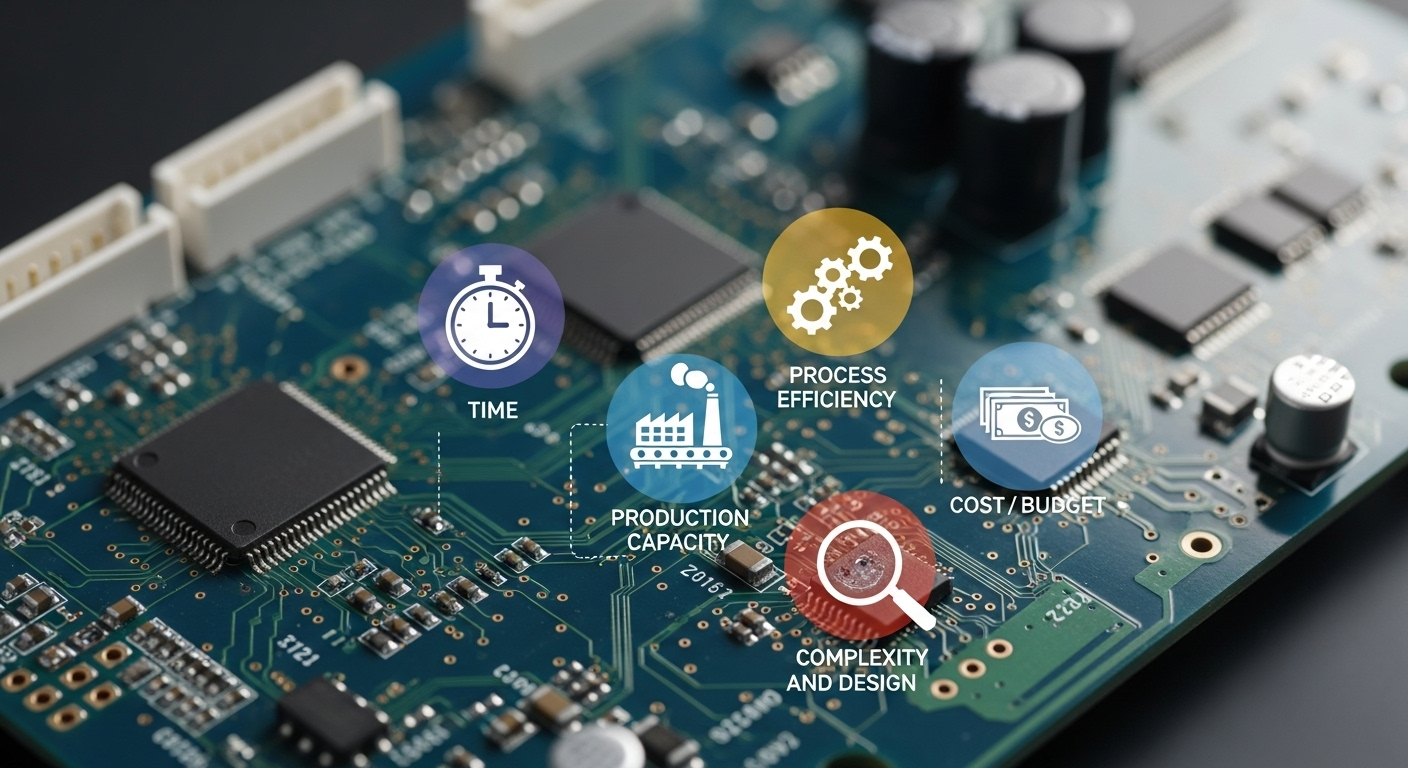
Factors Affecting the Speed of PCB Manufacturing

While speed is essential, several factors influence how fast a PCB can be manufactured. Design complexity is one of the biggest. Multi-layer boards, fine-pitch components, or intricate routing require more time than simple single-layer designs.

Another major factor is component availability. If certain components have long lead times, it can slow down production. That’s why companies like Megabyte Circuit System maintain reliable supply chain relationships to ensure quick sourcing.

Order volume also matters. Prototyping a few units takes less time than full-scale production, but with automated lines, both can be handled efficiently.

Finally, quality testing and inspection standards impact turnaround. At Megabyte Circuit System, every board undergoes advanced testing, including AOI (Automated Optical Inspection) and functional verification. This balance between speed and quality ensures that clients receive products that are both reliable and delivered on schedule.

Megabyte Circuit System: Fast PCB Board Manufacturing in India

Megabyte Circuit System has become one of the leading PCB manufacturers in India, known for its quick turnaround and top-grade production standards. The company has invested heavily in automated assembly lines, precision drilling machines, and inspection systems that allow it to manufacture PCB boards in record time.

The technical team brings years of experience in handling both small and bulk orders with the same attention to detail. From prototypes to large-scale production runs, Megabyte Circuit System guarantees consistency in design, soldering, and component placement.

What sets the company apart is its commitment to transparency and quality. Every project begins with a detailed quote and delivery timeline, so clients always know what to expect. With real-time production tracking and dedicated customer support, it’s easy for clients to stay updated on their order’s progress.

Brands and manufacturers across India rely on Megabyte Circuit System not just for speed but for accuracy and reliability, the two pillars of successful PCB manufacturing.

Pricing and Cost Considerations in Fast PCB Manufacturing

Pricing in PCB manufacturing is influenced by several factors including board complexity, layer count, material selection, and order quantity. Faster production often requires higher resource allocation, but efficient manufacturers offset this with streamlined workflows.

At Megabyte Circuit System, online PCB assembly and manufacturing costs are optimized through bulk material sourcing and advanced automation. This helps maintain competitive pricing even when fast turnaround is required. Clients receive detailed estimates upfront, ensuring clarity about expenses.

Choosing a reliable and transparent manufacturer means you save both time and cost in the long run. By reducing rework, errors, and delays, Megabyte Circuit System provides excellent value for every project.

How to Order Fast PCB Board Manufacturing from Megabyte Circuit System

Ordering fast PCB manufacturing is simple with the Megabyte Circuit System. The process is designed to save time and reduce manual communication.

  1. Upload Design Files – Share your Gerber files and BOM (Bill of Materials) through the secure portal.
  2. Get an Instant Quote – Receive a transparent price estimate based on design and delivery speed.
  3. Confirm Your Order – Approve the quotation and confirm your project timeline.
  4. Production and Delivery – Manufacturing begins immediately, followed by testing, packaging, and on-time delivery to your location.

This streamlined approach makes it easy for engineers and businesses to move quickly from design to production without delays.

Case Studies & Customer Experiences

Clients from various industries have trusted Megabyte Circuit System for their urgent PCB requirements. One automotive client needed a 4-layer PCB prototype within three days for testing a new control module. The team delivered the boards ahead of schedule, allowing the client to complete testing on time and move to full production.

Another startup in consumer electronics required a small batch of boards for a wearable device. Megabyte Circuit System handled the project efficiently, providing both assembly and quality inspection within five days.

These consistent results highlight the company’s reliability, accuracy, and commitment to fast service without sacrificing quality.

FAQs About Fast PCB Board Manufacturing in India

How long does fast PCB manufacturing take?

Depending on the complexity and order size, fast manufacturing can take anywhere from 24 hours to a few days.

What makes PCB manufacturing faster?

Automation, pre-stocked materials, efficient workflows, and in-house testing facilities significantly reduce production time.

Is quality compromised in fast PCB manufacturing?

No. Advanced inspection and testing systems ensure every PCB meets industry standards even when produced quickly.

How much does fast PCB manufacturing cost in India?

The cost depends on design complexity, order size, and delivery urgency. Megabyte Circuit System offers affordable pricing with complete transparency.

Conclusion and Call to Action

Fast PCB board manufacturing is no longer a luxury; it’s a necessity for businesses aiming to stay competitive. With India emerging as a major electronics hub, manufacturers need partners who can deliver precision, speed, and reliability.

Megabyte Circuit System stands at the forefront of fast PCB board manufacturing in India, helping clients achieve faster time-to-market with assured quality. Whether you need prototypes or mass production, the team ensures your requirements are met with efficiency and expertise.

For quick, dependable, and high-quality PCB manufacturing, contact Megabyte Circuit System today and request a free quote for your next project.


Categories
PCB Guide

Best Online PCB Assembly Services in India

Best Online PCB Assembly Services in India

Online PCB assembly is a growing necessity for electronics manufacturers, startups, and engineers in India. Whether you are building a prototype or producing at scale, having a reliable online PCB assembly partner can save time, reduce costs, and ensure quality. Megabyte Circuit System delivers top-tier online PCB assembly services in India, designed to meet diverse project needs with precision and speed. In this article, we’ll explore why our services stand out and how you can take advantage of them for your projects.

What is an Online PCB Assembly?

Online PCB assembly refers to the process of manufacturing and assembling printed circuit boards (PCBs) through an online platform. This modern approach allows customers to upload PCB designs, receive quotations, and place assembly orders without visiting physical manufacturing units.

The process generally involves receiving your design files (Gerber, BOM), procuring components, placing them precisely on the board, soldering, and testing the assembled PCBs.

This approach is becoming popular in India because it simplifies production for engineers and manufacturers, eliminates the need for large in-house assembly setups, and speeds up project timelines. Megabyte Circuit System specializes in providing streamlined online PCB assembly services in India, offering both prototyping and large-scale assembly solutions.

Why Choose Megabyte for an Online PCB Assembly Services in India

The demand for online PCB assembly services in India is driven by several advantages:

  • Cost Efficiency: Eliminates the need for investing in expensive assembly equipment and manpower. Online PCB assembly allows for competitive pricing and reduces overheads.
  • Faster Turnaround: Online services streamline ordering and assembly, helping projects progress faster.
  • Access to Advanced Technology: Many online providers use modern machines and quality control processes that ensure precise assembly.
  • Scalability: Online PCB assembly works well for both small prototypes and high-volume production.

Megabyte Circuit System has become one of the top PCB assembly companies in India by delivering high-quality services that combine these advantages. Our clients rely on us to manage their assembly needs efficiently, regardless of project scale.

Factors to Consider When Choosing an Online PCB Assembly Service

When selecting an online PCB assembly service, it is important to consider:

  • Turnaround Time: The speed at which your provider can assemble and deliver PCBs.
  • Pricing Structure: Transparency in pricing based on design complexity and quantity.
  • Quality Standards: Adherence to industry standards like IPC and thorough testing.
  • Customer Support: Easy communication channels and proactive assistance.
  • Scalability: Ability to handle small to large-scale orders seamlessly.

At Megabyte Circuit System, we focus on these factors to ensure high-quality online PCB assembly services in India. Our approach combines technology, skilled manpower, and customer-first policies to ensure that every project meets or exceeds expectations.

Megabyte Circuit System: Best PCB Assembly Service in India

Megabyte Circuit System: Best PCB Assembly Service in India

Megabyte Circuit System has earned a strong reputation for providing premium online PCB assembly services in India. Our services are designed for manufacturers, startups, and electronics designers who demand quality and efficiency.

Key Advantages:

  • Experienced Technical Team: Our engineers have years of experience in PCB assembly, ensuring precision in every project.
  • High-Quality Assembly Equipment: We use advanced machines for SMT and through-hole assembly, ensuring durability and accuracy.
  • Transparent Pricing: Our pricing model is straightforward with no hidden charges, making budgeting simple.
  • On-Time Delivery: We understand project timelines and consistently deliver within deadlines.

Our commitment to quality, affordability, and reliability makes us a preferred choice among PCB assembly companies in India. Whether you require custom PCB assembly online or bulk orders, Megabyte Circuit System delivers exceptional results.

Pricing Guide for Online PCB Assembly in India

Pricing for online PCB assembly services in India depends on several factors:

  • Complexity of Design: Multi-layer boards or complex layouts require more effort and testing.
  • Quantity: Bulk orders generally have lower per-unit costs.
  • Turnaround Time: Faster delivery often increases costs.
  • Component Sourcing: Availability of parts impacts pricing.

Megabyte Circuit System offers competitive online PCB assembly costs, combining quality with cost efficiency. We provide transparent quotations after reviewing your design files so you know exactly what to expect before placing an order.

How to Order Online PCB Assembly from Megabyte Circuit System

Ordering PCB assembly from Megabyte Circuit System is simple and customer-friendly:

  1. Upload Your Design File: Share your Gerber and BOM files via our online platform.
  2. Get a Quote: Our team reviews your project and sends a clear pricing estimate.
  3. Confirm Order: Approve the quote and project details.
  4. Assembly and Delivery: We assemble your PCBs with precision and deliver them on time.

This seamless process makes ordering PCB assembly online efficient and transparent for customers anywhere in India.

Customer Testimonials & Case Studies

Our clients consistently praise Megabyte Circuit System for quality, speed, and support:

“Megabyte Circuit System handled our prototype assembly with excellent precision and delivered ahead of schedule.” – Electronics Startup, Ahmedabad

“Their pricing is transparent and competitive. We rely on them for all our PCB assembly needs.” – Manufacturing Company, Pune

“The team is professional and responsive. Their online service made assembly much easier.” – Product Designer, Delhi

These case studies highlight our dedication to delivering exceptional results consistently.

FAQs About Online PCB Assembly Services in India

How long does online PCB assembly take?

Turnaround time depends on complexity, order quantity, and component availability. Megabyte Circuit System provides clear timelines before confirming the order.

What file formats are supported?

We support industry-standard formats such as Gerber files and BOMs, ensuring compatibility and precision.

How is quality ensured?

Each assembly undergoes multiple quality checks, including visual inspection and functional testing, in line with industry standards.

What is the minimum order quantity?

We cater to both prototyping and bulk production, offering flexibility based on project needs.

Conclusion

For anyone seeking the Best online PCB assembly services in India, Megabyte Circuit System stands out for its quality, transparency, speed, and affordability. Our expertise and customer-centric approach make us the trusted choice for electronics manufacturers and innovators nationwide.

Get in touch today to request a quote and experience why we are regarded as one of the best PCB assembly service providers in India.

Categories
PCB Guide

PCB Trace Width Calculator: Ensuring Safe and Reliable Designs

PCB Trace Width Calculator: Ensuring Safe and Reliable Designs

Printed circuit boards (PCBs) are the backbone of every electronic device, from hobby projects to industrial equipment. One of the most overlooked yet critical factors in PCB design is trace width. If traces are too narrow, they can overheat, cause voltage drops, or even lead to complete board failure. That’s why designers rely on a PCB Trace Width Calculator to determine the correct width for safe and reliable performance.

At Megabyte Circuit Systems, our PCB Calculator makes this process straightforward, helping hobbyists, students, and engineers design boards that meet both performance and safety requirements.

What Is PCB Trace Width?

In simple terms, PCB trace width refers to the thickness of the copper pathway that carries current across the board. Just like water pipes need to be wide enough to handle flow without bursting, traces need to be wide enough to safely carry electrical current.

If the trace width is too small, it can’t carry enough current without overheating, which reduces the durability and safety of the PCB. Wider traces, on the other hand, handle higher currents better and improve long-term reliability.

Why Is Trace Width Important in PCB Design?

The width of a trace affects multiple aspects of PCB performance. Too narrow, and it risks:

  • Overheating: Current flow generates heat. A thin trace can quickly exceed safe temperature limits.
  • Voltage drop: Long, thin traces lose voltage across the length, impacting sensitive circuits.
  • Signal integrity issues: In high-frequency circuits, incorrect widths affect timing and reliability.
  • Reduced lifespan: Overstressed traces degrade faster, especially in industrial or high-current applications.

To avoid these risks, designers follow industry standards like IPC-2221, which provide formulas and guidelines. But manually applying these calculations is complex, which is why calculators are preferred.

What Is a PCB Trace Width Calculator?

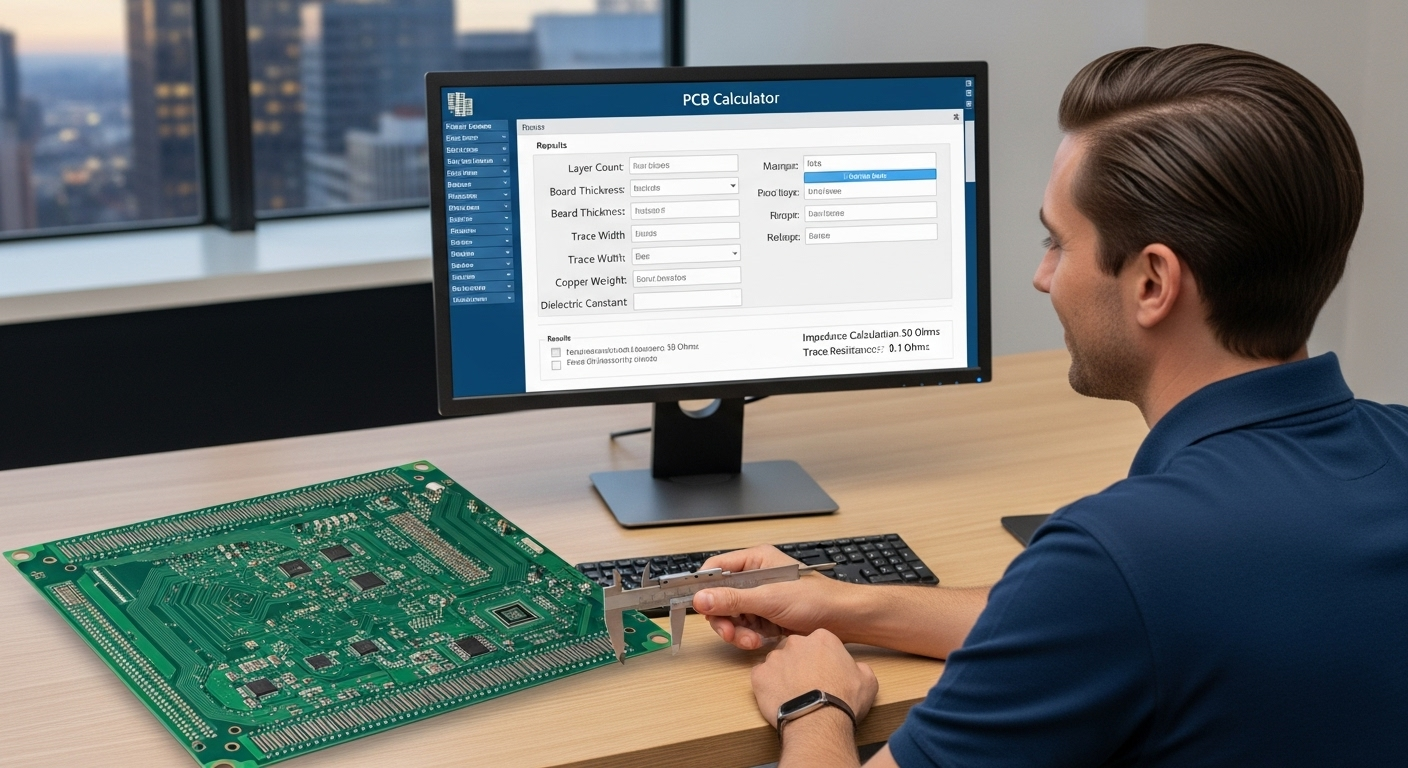
A PCB Trace Width Calculator is a tool that determines how wide a trace should be for a given current, copper thickness, and temperature rise. Instead of going through complicated math, you enter a few values and the calculator gives instant results.

Most calculators provide:

  • Required trace width based on current.
  • Resistance per unit length.
  • Voltage drop across the trace.
  • Predicted temperature rise.

This makes design faster, more accurate, and aligned with industry best practices.

How Does a PCB Trace Width Calculator Work?

To use the calculator, you typically enter:

  • Current (A): The amount of current the trace must handle.
  • Copper thickness (oz/ft²): Standard values are 1 oz or 2 oz.
  • Layer position: External traces dissipate heat better than internal ones.
  • Temperature rise (°C): Acceptable increase in trace temperature during operation.

For example, if you input 1A current, 1 oz copper, and allow a 10°C rise, the calculator might show that a 10 mil (0.25 mm) wide trace is required. This ensures your board will carry the current safely without overheating.

Types of PCB Trace Width Calculators

Different calculators serve different needs:

  • Online free calculators: Quick and easy for small projects.
  • Software-integrated calculators: Built into PCB design tools like Altium or KiCad.
  • Advanced calculators: Include thermal analysis and more precise modeling for industrial boards.

Best PCB Trace Width Calculators Available Online

Megabyte Circuit Systems PCB Calculator – beginner-friendly, accurate, and designed to simplify both cost and trace width calculations.

Example Use Cases of Trace Width Calculators

  • Hobbyist: Designing an Arduino shield that must carry 1A without overheating.
  • Student: A university project requiring multiple traces with low heat buildup.
  • Engineer: An industrial motor control board with traces carrying over 10A where precision is critical.

These cases show why calculators are essential; what works for a hobbyist project may not be safe for industrial boards.

Common Mistakes in Trace Width Calculations

Even with calculators, designers sometimes miscalculate. Common mistakes include:

  • Mixing up external and internal trace requirements.
  • Forgetting to check copper thickness with the manufacturer.
  • Ignoring temperature rise in high-current applications.
  • Overlooking voltage drop in long traces.

Benefits of Using a PCB Trace Width Calculator

Beginners Should Use a PCB Calculator

Using a calculator provides several advantages:

  • Prevents overheating and potential board failure.
  • Ensures compliance with IPC-2221 standards.
  • Saves time compared to manual formulas.
  • Improves the overall safety and reliability of the design.

Best Practices for Accurate Trace Width Calculations

To get the most reliable results:

  • Always verify copper weight with your PCB manufacturer.
  • Allow safety margins by choosing slightly wider traces than calculated.
  • Double-check results using more than one calculator.
  • Account for both DC and AC currents when applicable.

Why Megabyte Circuit Systems PCB Calculator Stands Out

While many calculators exist, the Megabyte Circuit Systems PCB Calculator is designed to be more practical for everyday use. It is:

  • Easy to use: No steep learning curve, suitable for beginners.
  • Accurate: Aligns with IPC-2221 standards for reliable results.
  • Versatile: Supports both cost and trace width estimation in one place.
  • Trusted: Used by hobbyists, students, and professional engineers.

Try the Megabyte Circuit Systems PCB Calculator today to design safer and more reliable boards.

Conclusion

PCB trace width is more than just a design detail it determines whether your board will work safely and reliably. Calculators simplify the process, saving time while ensuring accuracy. By using tools like the Megabyte Circuit Systems PCB Calculator, you can design boards that meet performance standards and avoid costly errors.

Whether you’re a beginner or a professional engineer, the right trace width calculation makes all the difference in PCB safety and performance.

Categories
PCB Guide

PCB Calculator for Beginners: Simplifying Design & Costing

PCB Calculator for Beginners: Simplifying Design & Costing

If you’re new to PCB design, figuring out the cost, layout, and technical requirements can feel overwhelming. A PCB calculator makes the process easier by giving you quick answers to common design questions. Whether you need to know the cost of manufacturing a small prototype, the correct trace width for current flow, or tolerance percentages, a calculator delivers instant results.

For beginners, hobbyists, students, and entry-level engineers this means less time worrying about complex formulas and more time focusing on learning and creating. At Megabytes Circuit Systems, we provide a beginner-friendly PCB calculator that helps simplify everything from cost estimation to trace width calculation.

What Is a PCB Calculator?

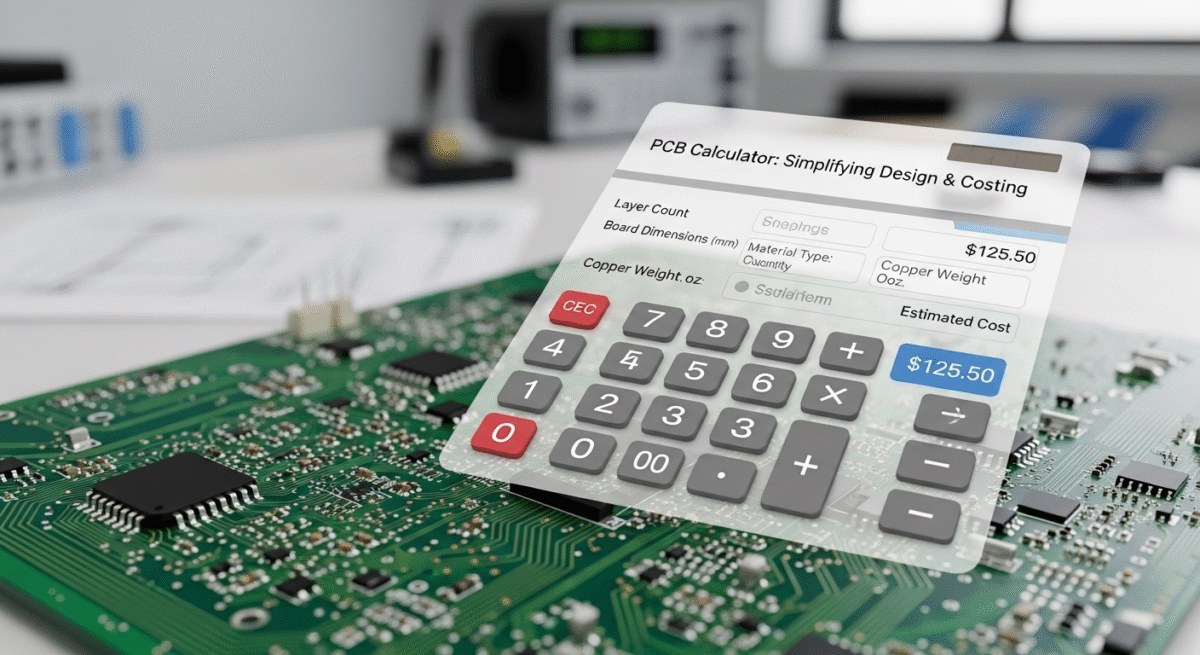
A PCB calculator is an online tool designed to help designers estimate the cost and technical specifications of printed circuit boards. Instead of manually calculating values or waiting for manufacturer quotes, you can input basic details and receive results within seconds.

Some of the key parameters a PCB calculator can handle include:

  • Cost estimation based on dimensions, layers, thickness, and finish.
  • Trace width calculation to ensure safe current handling.
  • Percentage or tolerance checks for design accuracy.

For beginners, this is much faster and more practical than manual calculations or spreadsheets.

Why Beginners Should Use a PCB Calculator

Beginners Should Use a PCB Calculator

Easy Learning Curve

Beginners often struggle with complex PCB formulas. A calculator removes this barrier by instantly showing how changes in size, copper weight, or layers affect cost and performance.

Cost Transparency

Most beginners work with limited budgets. Instant cost estimation prevents overspending and ensures projects stay affordable.

Confidence in Design

By using trace width and tolerance calculators, you know your board is practical, safe, and manufacturable. This reduces the risk of errors such as overheating traces or oversized layouts.

How a PCB Calculator Works (Step-by-Step)

Using a calculator is straightforward. Here’s how it typically works:

  1. Enter basic inputs such as board size, number of layers, thickness, copper weight, and surface finish.
  2. Process calculation where the tool applies formulas and pricing logic.
  3. Get results instantly including cost estimates, recommended trace widths, and sometimes delivery times.

Example:

Imagine you’re designing a 100mm x 80mm two-layer PCB with 1.6mm thickness and 1oz copper. By entering these values, the calculator provides:

  • Approximate manufacturing cost
  • Recommended trace width for carrying current safely
  • Expected turnaround time

This means you can validate your design before even contacting a manufacturer.

Key Functions of a PCB Calculator

Cost Estimation

The calculator estimates cost based on:

  • Board dimensions
  • Number of layers
  • Thickness
  • Copper weight
  • Surface finish
  • Quantity

For beginners making prototypes, this ensures they know the budget before committing to production.

Trace Width Calculator

Trace width defines how wide a copper track should be to safely carry current. If it’s too narrow, traces may overheat; if too wide, board space is wasted. A PCB calculator uses formulas based on current, copper thickness, and allowable temperature rise to recommend safe widths.

Example: A beginner working on an Arduino project with a 1A current can instantly find the correct trace width instead of guessing.

Percentage/Tolerance Calculations

Even small design errors can affect performance. Tolerance calculators help ensure component spacing, copper coverage, and resistance values remain within safe margins. This feature is especially useful for students working on academic projects.

Best PCB Calculators for Beginners

Megabytes Circuit Systems PCB Calculator – Designed to be beginner-friendly while still powerful enough for professionals.

Try the Megabytes Circuit Systems PCB Calculator today to simplify your next project.

Example Use Cases for Beginners

  • Hobbyist Example: A maker wants to check the cost of a DIY LED board. The calculator provides instant price and confirms the design is within budget.
  • Student Example: A student uses the trace width function to ensure their lab project can handle required current safely.
  • Entry-Level Engineer Example: A junior designer quickly checks cost and feasibility of a two-layer prototype before presenting it to their team.

Common Mistakes Beginners Make with PCB Calculators

While calculators are helpful, beginners sometimes misuse them. Common mistakes include:

  • Mixing up units (millimeters vs inches).
  • Forgetting to specify copper thickness.
  • Underestimating required trace width for high-current paths.
  • Ignoring finish type, which affects cost and durability.
  • Depending only on calculator results without validating with manufacturers.

Benefits of Using a PCB Calculator for Beginners

  • Saves time by avoiding manual calculations.
  • Keeps budgeting clear from the start.
  • Reduces the risk of costly design errors.
  • Helps learn design trade-offs faster.
  • Builds confidence for first-time projects.

Best Practices for Beginners Using PCB Calculators

  • Always double-check units and dimensions.
  • Start with simple designs before experimenting with advanced settings.
  • Compare results from at least two calculators to confirm accuracy.
  • Use cost calculators early in the design stage to avoid surprises.
  • Apply trace width calculators before finalizing layouts for safety.

How PCB Calculators Support Learning Electronics

For beginners, calculators aren’t just tools, they are learning aids. By changing inputs and observing results, users can see how design parameters affect cost and performance. This reinforces theory from electronics courses and provides practical feedback that books and lectures often cannot.

Why Megabytes Circuit Systems PCB Calculator Is Beginner-Friendly

At Megabytes Circuit Systems, our PCB calculator is designed with beginners in mind. It combines simplicity with accuracy, making it a reliable tool for anyone starting out in PCB design.

Key features include:

  • Easy-to-use interface with no steep learning curve.
  • Instant cost and trace width results.
  • Support for hobbyists, students, and startups.
  • Trusted accuracy for early-stage projects.

Try the Megabytes Circuit Systems PCB Calculator today to simplify your next project.

Conclusion

For beginners in electronics, a PCB calculator is more than a convenience it’s a foundation for learning and confident design. From cost estimation to trace width and tolerance checks, these tools simplify PCB design and help avoid mistakes that could derail a project.

Whether you’re a hobbyist building your first circuit, a student working on a university project, or an entry-level engineer starting in the field, calculators provide the clarity and confidence you need.

Start your journey with the Megabytes Circuit Systems PCB Calculator and make your design process faster, simpler, and smarter.

Categories
PCB Guide

Best PCB Calculator for Hobbyists, Students, and Engineers

Best PCB Calculator for Hobbyists, Students, and Engineers

If you are designing a printed circuit board, one of the first things you need is accurate cost and design estimates. A PCB calculator makes this process simple by giving you instant results for board cost, trace width, and tolerances without waiting for a manufacturer’s quote. Whether you are a hobbyist working on a DIY project, a student preparing for an electronics lab, or an engineer managing large-scale production, a PCB calculator saves time, improves accuracy, and helps you make better design decisions. At Megabytes Circuit Systems, our goal is to simplify PCB planning with tools that support both beginners and professionals.

What Is a PCB Calculator?

A PCB calculator is an online or software-based tool that helps you estimate key parameters in circuit board design. Instead of manually working through formulas or requesting vendor quotations, you can input your board’s dimensions, copper weight, number of layers, and finish to instantly receive results.

The most common functions include:

  • Cost estimation – predicting manufacturing prices based on board specs.
  • Trace width calculation – determining how wide traces must be to safely carry current.
  • Tolerance checks – confirming percentage variations in size, placement, and resistance.

This combination makes a PCB calculator far more practical than manual calculations, especially for users who want reliable answers in seconds.

Why Different Users Need PCB Calculators

For Hobbyists

Hobbyists often build small circuits or prototypes, where budgets are limited. A PCB calculator helps by:

  • Quickly checking costs for small batch orders.
  • Suggesting proper copper thickness and board size.
  • Preventing unnecessary spending on oversized or complex boards.

For Students

For students, PCB calculators double as both a design tool and a learning resource. They:

  • Demonstrate the impact of parameters like trace width and copper weight.
  • Assist in academic projects by validating practical designs.
  • Provide free access to industry-like tools without added expenses.

For Engineers

Professional engineers benefit from calculators in a different way. They:

  • Speed up the design workflow by offering instant manufacturing insights.
  • Support advanced requirements like multilayer boards or high-current circuits.
  • Reduce delays that typically occur from waiting for supplier quotations.

Each group has unique needs, but the unifying benefit is speed, accuracy, and smarter decision-making.

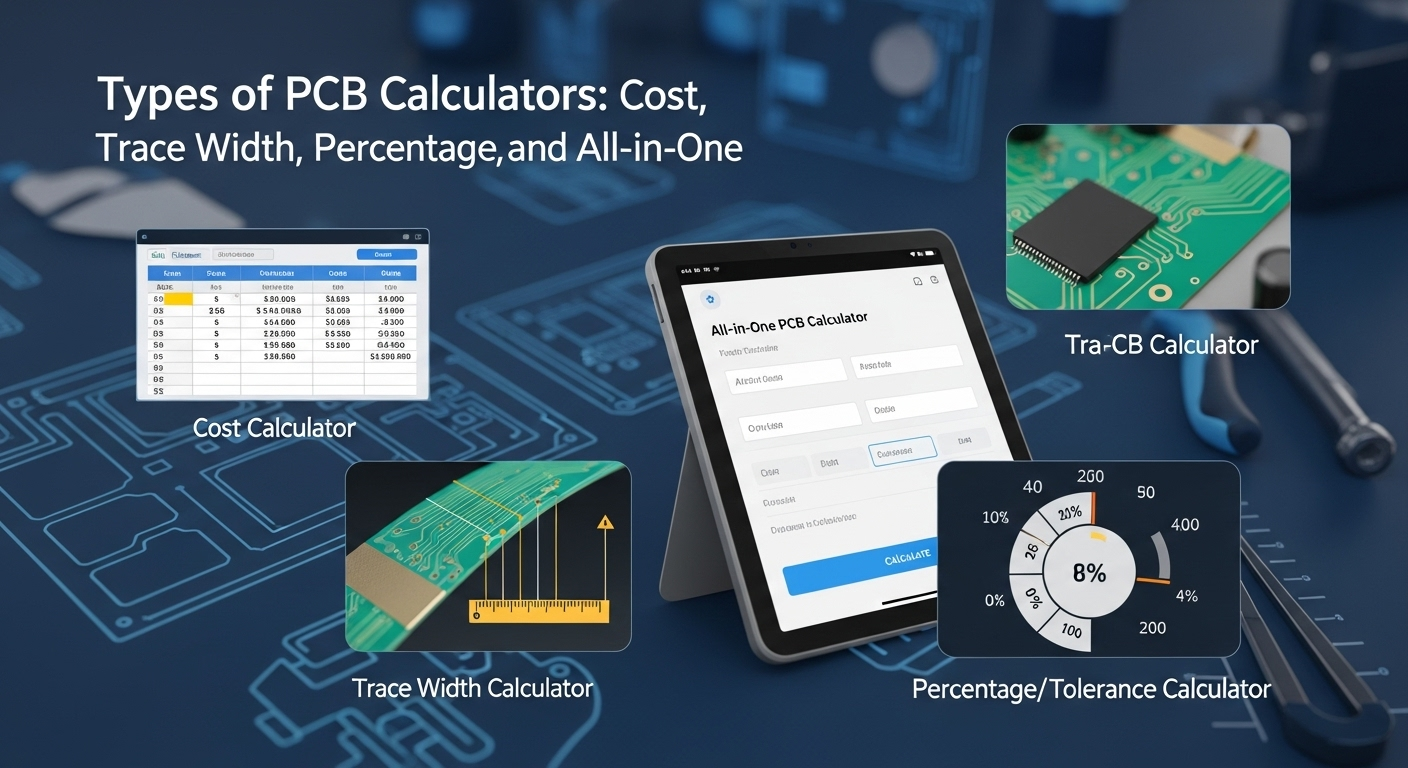
Types of PCB Calculators

Types of PCB Calculators

Not all calculators are built the same. Here are the main types you will encounter:

Cost Calculators – Focus on estimating manufacturing costs based on dimensions, layers, copper thickness, and surface finish.

Trace Width Calculators – Ensure copper traces can safely carry the required current without overheating or failing.

Percentage/Tolerance Calculators – Verify acceptable design margins for spacing, copper fill, or resistance.

All-in-One Calculators – Comprehensive tools that combine cost, trace width, and tolerance functions in one platform.

Best PCB Calculators Available Online

Several PCB calculators are available for free or with advanced features. Below is some of the most commonly used options:

Megabytes Circuit Systems PCB Calculator – Our in-house calculator provides instant cost, trace width, and design estimates, making it suitable for all levels of users. 👉 Try it here.

How to Choose the Right PCB Calculator

When selecting a calculator, keep the following in mind:

  • Accuracy – Results should align closely with manufacturer quotes.
  • Ease of use – A clean interface helps reduce input errors.
  • Multilayer support – Important for advanced boards beyond simple single or double layers.
  • Cost features – Some calculators focus only on design parameters, while others include cost breakdowns.
  • Integration – Professional users may need calculators that integrate with PCB design software.

Choosing the right tool ensures your workflow remains efficient and reliable.

Example Use Cases

To understand how calculators help different users, consider these examples:

  • Hobbyist: A maker designing an Arduino shield inputs board size and copper weight to get a cost estimate before ordering a prototype.
  • Student: During an electronics lab, a student uses a trace width calculator to confirm that their design can handle 2A of current safely.
  • Engineer: A professional working on a multilayer power supply inputs design specs to calculate cost, copper thickness, and turnaround time all in one session.

These examples show how calculators adapt to both small and large-scale needs.

Common Mistakes When Using PCB Calculators

Even with accurate tools, errors can occur if inputs are not handled correctly. Some common mistakes include:

  • Entering wrong units such as mixing millimeters and inches.
  • Overlooking copper thickness, which directly affects current capacity.
  • Forgetting to add finish type, which influences both cost and performance.
  • Misinterpreting tolerance results, especially in high-frequency designs.

Avoiding these errors ensures results are both practical and reliable.

Benefits of Using PCB Calculators

The advantages of using a PCB calculator go beyond speed. They include:

  • Time savings: Results in seconds instead of days.
  • Budget clarity: Prevents unexpected costs during ordering.
  • Design safety: Ensures trace width and tolerances meet standards.
  • Learning support: Helps beginners and students build confidence.
  • Professional efficiency: Speeds up workflows for engineers.

When used correctly, calculators streamline the entire design-to-production process.

Conclusion

Whether you are experimenting with electronics for the first time, completing coursework, or managing large production runs, a PCB calculator is one of the most valuable tools available. It simplifies design planning, improves cost transparency, and reduces errors that could delay production.

At Megabytes Circuit Systems, we have created a PCB calculator that balances simplicity with professional-grade accuracy. It is designed to support hobbyists, students, and engineers alike.

Try our PCB Calculator today to get instant cost, trace width, and design estimates for your next project.Below

Categories
PCB Guide

PCB Calculator: Cost, Trace Width, and Design Estimator

PCB Calculator: Cost, Trace Width, and Design Estimator

If you are working on a new printed circuit board design, you need accurate cost and design estimates before moving to production. A PCB calculator makes this process simple by instantly providing details such as board cost, trace width, and material requirements. Instead of waiting for manual quotes from manufacturers, you can input your specifications and receive immediate results. This helps designers, students, and businesses save both time and money while ensuring that their PCB layout is optimized from the start.

Try the free PCB Calculator by Megabyte Circuit Systems to get instant estimates for your design.

What Is a PCB Calculator?

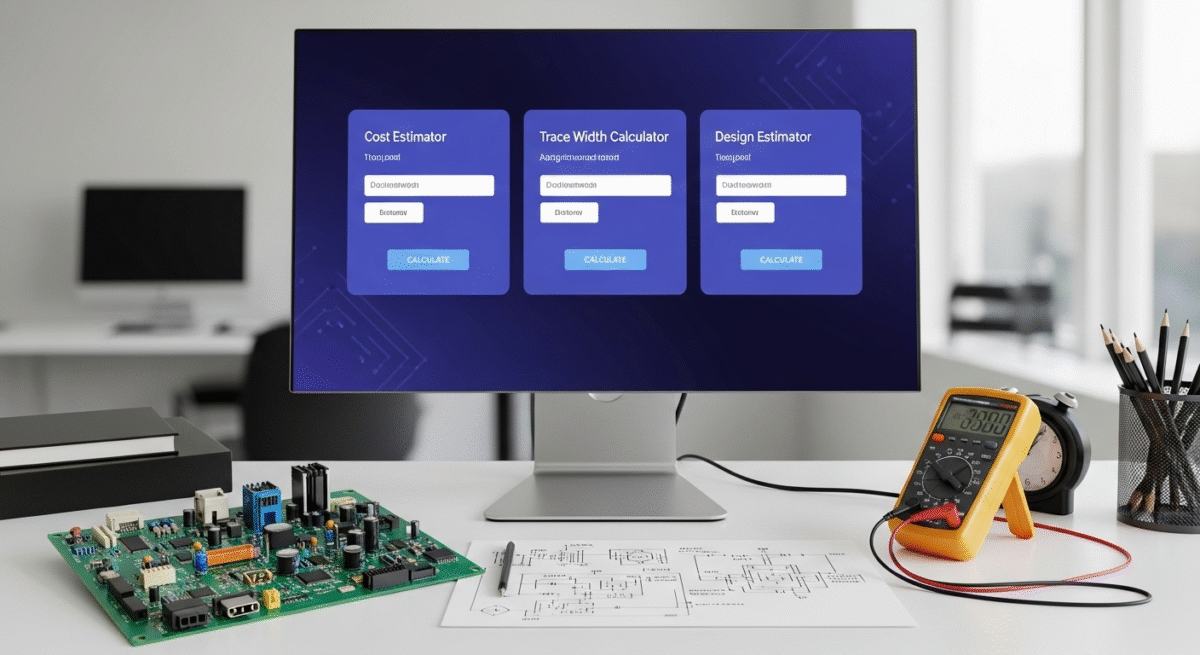
A PCB calculator is an online tool that allows you to calculate essential parameters for your circuit board. These include the manufacturing cost, required trace width, current capacity, percentage tolerances, and other design factors. By entering basic inputs such as dimensions, number of layers, thickness, and copper weight, you can instantly determine whether your design is practical and within budget.

Unlike manual calculations or waiting for vendor responses, PCB calculators give you results in seconds. This makes them highly valuable for anyone working in electronics from students building DIY projects to engineers designing advanced multilayer boards.

At Megabyte Circuit Systems, our PCB calculator is designed to be fast, accurate, and beginner-friendly, making it a trusted tool for PCB enthusiasts and professionals.

Why Do PCB Designers Use a Calculator?

PCB manufacturing involves many variables, and costs can vary significantly based on board specifications. A calculator helps in three key areas:

  • Cost Estimation: Quickly determine how much your PCB will cost to produce before committing to a manufacturer.
  • Design Optimization: Make adjustments to size, thickness, and copper weight to balance performance with cost.
  • Efficiency: Save time by avoiding multiple back-and-forth emails for quotations.

By having reliable estimates, you can confidently plan your project budget and timelines.

How Does a PCB Calculator Work?

Most calculators require a few simple inputs to generate results. The most common parameters include:

  • Board Dimensions: Length and width in millimeters or inches.
  • Number of Layers: Single, double, or multi-layer boards.
  • Board Thickness: Standard is 1.6 mm, but thinner and thicker options exist.
  • Copper Weight: Usually 1 oz, though high-power boards may use 2 oz or more.
  • Surface Finish: HASL, ENIG, or other finishes that affect cost and performance.
  • Quantity: Larger volumes reduce per-unit pricing.

The tool processes these values and provides an estimated cost along with expected delivery timelines.

PCB Trace Width Calculator

In addition to cost, designers often need to calculate the correct trace width to handle a given current. Using a PCB trace width calculator helps determine how wide copper traces must be to prevent overheating or signal loss.

For example, if your circuit carries 2A of current on an external layer with standard copper thickness, the calculator will suggest the minimum trace width required. This ensures safety, reliability, and compliance with IPC standards.

At Megabyte Circuit Systems, we’ve integrated trace width calculations into our PCB calculator so you can estimate both costs and performance in one place.

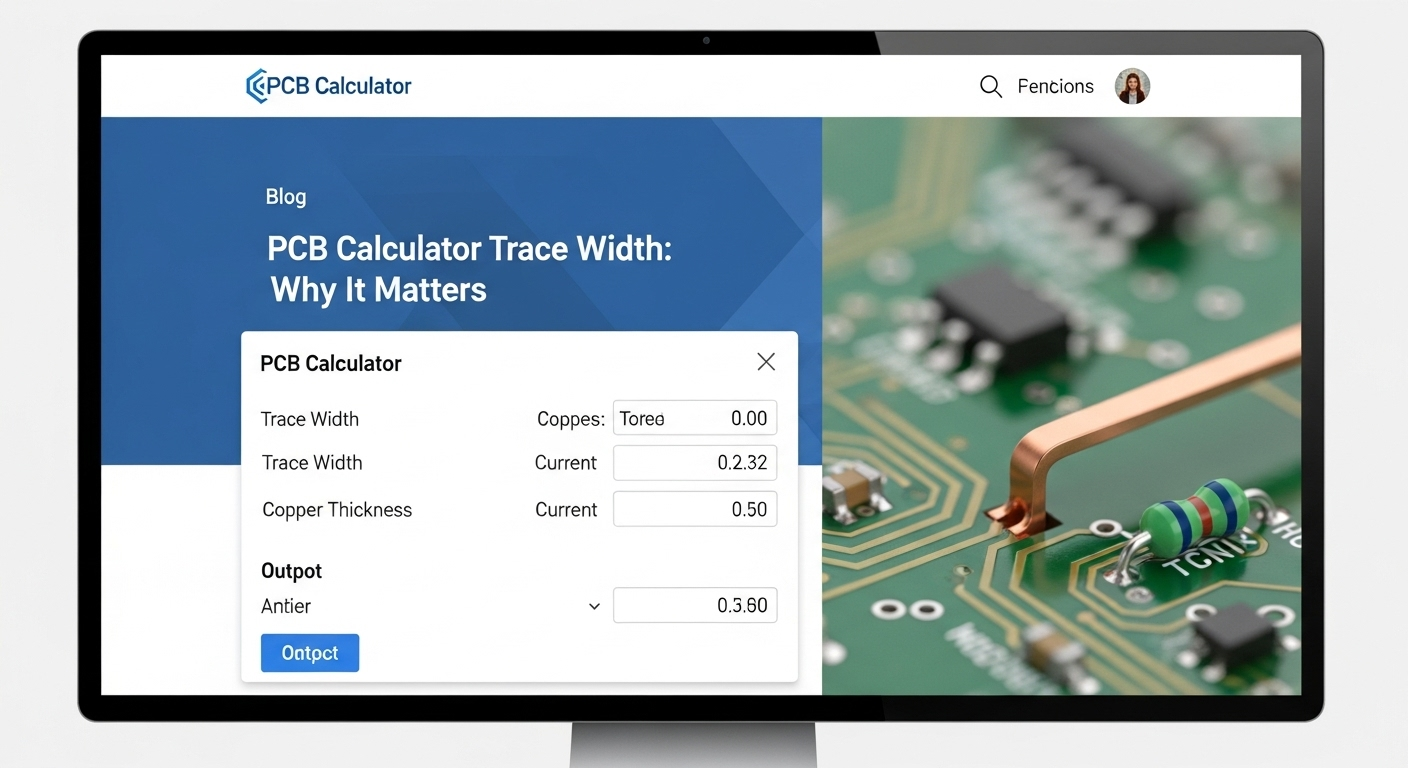
PCB Calculator Trace Width: Why It Matters

PCB Calculator Trace Width: Why It Matters

Trace width directly impacts how well your PCB performs. If the width is too narrow, the trace may overheat, leading to circuit failure. If it is unnecessarily wide, you might waste board space and increase manufacturing costs.

A PCB calculator trace width function balances these concerns by using formulas that consider current load, copper thickness, and allowable temperature rise. This ensures your board layout is both cost-efficient and safe.

PCB Percentage Calculator for Design Tolerances

Another useful feature is the PCB percentage calculator, which is often used for checking tolerances in component placement, copper coverage, or resistance values. Small variations can affect circuit performance, especially in high-frequency applications. A percentage calculator gives quick insight into acceptable design margins and helps engineers fine-tune their layouts.

By integrating percentage-based checks with cost and trace width calculations, designers get a complete picture of their board’s performance and feasibility.

Example Use Case

Consider a designer creating a two-layer board for a power supply project. They input the following into the PCB calculator:

  • Dimensions: 100 mm x 80 mm
  • Layers: 2
  • Thickness: 1.6 mm
  • Copper Weight: 1 oz
  • Finish: ENIG

The calculator provides an estimated cost and turnaround time. Next, the designer uses the trace width calculator to check that the power traces can safely handle 3A of current. Finally, the percentage calculator confirms that copper fill tolerances remain within acceptable limits.

In less than five minutes, the designer has a clear view of cost, manufacturability, and performance without sending a single email to a manufacturer.

Save time and reduce errors with the Megabyte Circuit Systems PCB Calculator.

Benefits of Using a PCB Calculator

Using a calculator brings several advantages:

  • Accuracy: Reduces the risk of design errors.
  • Budget Control: Keeps costs transparent before ordering.
  • Speed: Instant results help you make quick design decisions.
  • Learning Tool: Helps students and beginners understand design trade-offs.
  • Professional Use: Supports engineers in optimizing layouts for production.

Limitations of PCB Calculators

While PCB calculators are useful, they do have some limitations:

  • Results are estimates rather than final quotes.
  • Shipping and assembly costs may not always be included.
  • Complex designs, such as HDI or flex PCBs, often require custom evaluation.

Despite these limitations, calculators remain one of the best starting points for PCB planning.

Frequently Asked Questions

Are PCB calculators accurate?

They are reliable for initial estimates, but final manufacturer quotes may differ based on order quantity, finish type, and shipping.

Can I calculate multilayer boards?

Yes, most tools allow up to 8 or more layers.

Do calculators include assembly costs?

Usually, they focus on bare board manufacturing. Assembly requires a separate quote.

Is it free to use a PCB calculator?

Yes, most online calculators are free to access and use.

What is the difference between a cost calculator and a trace width calculator?

A cost calculator estimates manufacturing price, while a trace width calculator ensures your design can handle required current safely.

Best Practices for Using a PCB Calculator

  • Double-check all inputs before calculating to avoid errors.
  • Use the trace width feature whenever designing power or high-current circuits.
  • Combine percentage calculations with design rules to ensure compliance.
  • Use calculators during early design stages to avoid costly revisions later.

Conclusion

A PCB Calculator is a vital tool for anyone involved in electronics design. From cost estimation to trace width calculations and percentage tolerance checks, it simplifies the planning process and ensures that designs are both practical and affordable.

By using such tools, you not only save time but also gain confidence that your board will perform as expected once manufactured. Whether you are a student, hobbyist, or professional engineer, integrating a PCB calculator into your design workflow can make the difference between success and costly mistakes.

Get started today with the Megabyte Circuit Systems PCB Calculator and see how simple PCB planning can be.

Categories
PCB Guide

Basic PCB Design Rules Every Beginner Should Know

Basic PCB Design Rules Every Beginner Should Know

Stepping into the world of Printed Circuit Board (PCB) design can feel like entering a complex and intricate landscape. There’s a vast amount to learn, from the nuances of component placement and trace routing to the critical importance of signal integrity and manufacturability. It’s easy to feel overwhelmed by the sheer volume of information and the potential for costly mistakes. However, the good news is that by grasping a few fundamental PCB design rules, you can navigate this complex landscape with significantly more confidence, minimize errors, and dramatically increase your chances of creating successful electronic products.

At Megabyte Circuit Systems, we’ve witnessed firsthand the transformative impact that a solid understanding of these basic principles can have on a project’s outcome. This comprehensive guide aims to equip you with the essential knowledge you need to start your PCB design journey on the right foot, providing a clear and concise overview of the rules every beginner should know.

Getting Started: Essential First Steps

Before you even begin placing components or routing traces, it’s essential to lay a solid foundation by understanding your design software and carefully planning your PCB stackup. These initial steps are crucial for ensuring a smooth and successful design process.

Mastering Your PCB Design Software

Your PCB design software is your primary tool, and becoming proficient in its use is paramount. Think of it as learning to play a musical instrument – you need to understand the tool intimately before you can create beautiful music. Take the time to explore the software’s interface, familiarize yourself with the different tools and commands, and experiment with various functions.

Don’t hesitate to consult the tutorials, documentation, and online resources provided by the software vendor. The more comfortable you are with your software, the more efficiently and accurately you’ll be able to bring your design visions to life.

Planning Your PCB Stackup

The PCB stackup refers to the arrangement of the different layers in your multilayer PCB, including the copper layers, insulating layers, and any other specialized materials. The stackup design has a profound impact on the performance of your circuit, influencing signal integrity, power distribution, and electromagnetic compatibility (EMC).

Before you begin laying out your board, take the time to carefully consider your stackup. Consider factors such as the number of layers you need based on the complexity of your circuit, the desired thickness of the copper layers, and the properties of the insulating materials.

Key Design Rules for Success

Key Design Rules for Success

Once you have a solid understanding of your software and your stackup is carefully planned, you can dive into the actual design process. Here are some key design rules to keep in mind:

Strategic Component Placement

Component placement is more than just randomly dropping components onto the board. It’s a strategic art that can significantly impact the performance and manufacturability of your PCB. Think carefully about where you place each component, considering factors such as signal flow, thermal management, and ease of assembly.

  • Group Related Components: Group components that are functionally related together to minimize trace lengths and improve signal flow. For example, components belonging to a specific amplifier circuit should be placed in close proximity.
  • Place Decoupling Capacitors Strategically: Decoupling capacitors play a crucial role in filtering out noise and providing a stable power supply. Place them as close as possible to the power pins of your integrated circuits (ICs) to maximize their effectiveness.

Calculate Your PCB Cost with PCB Calculator

Mastering Trace Routing Techniques

Trace routing, the process of connecting components with copper traces, is another critical skill for PCB designers. The way you route your traces can have a significant impact on signal integrity, power distribution, and EMC.

  • Minimize Trace Lengths: Keep your traces as short as possible to reduce signal delays, reflections, and losses. Shorter traces also minimize the amount of noise that can be coupled into the signal.
  • Avoid Sharp Bends: Avoid making sharp bends in your traces, as these can cause signal reflections and impedance discontinuities. Instead, use smooth, gradual bends to maintain signal integrity.
  • Maintain Consistent Trace Width: Strive to maintain a consistent trace width throughout your design to ensure a uniform impedance and prevent signal reflections.

Power and Ground Plane Design

Power and ground planes are large areas of copper that provide a low-impedance path for power and ground currents. A well-designed power and ground plane system is essential for minimizing noise and ensuring a stable power supply throughout your PCB.

  • Create Solid Planes: Create solid power and ground planes with minimal interruptions to provide a low-impedance path for currents and minimize voltage drops.
  • Connect Planes with Vias: Connect power and ground planes with multiple vias to reduce inductance and improve current carrying capacity.
  • Isolate Noisy Signals: Isolate noisy signals from sensitive components and circuits by routing them over the ground plane. The ground plane acts as a shield, preventing noise from coupling into sensitive signals.

Ensuring Manufacturability and Reliability

Designing a PCB that not only functions correctly but can also be manufactured efficiently and reliably is crucial. This is where Design for Manufacturability (DFM) comes into play.

Design for Manufacturability (DFM)

DFM involves considering the manufacturing process during the design phase. Following DFM guidelines can help you to avoid costly errors, reduce manufacturing costs, improve yield, and prevent assembly problems. Always adhere to the manufacturer’s recommendations for pad sizes and spacing, trace width and spacing, and via placement, and ensure your design meets their specific requirements.

Final Verification and Checks

Before you send your PCB design off for manufacturing, it’s essential to perform thorough checks and verification to catch any errors or violations of the design rules.

Run Design Rule Checks (DRC)

Utilize the Design Rule Check (DRC) feature in your PCB design software to automatically identify any violations of the design rules. Run the DRC regularly throughout the design process to catch errors early and prevent them from snowballing into larger problems.

Verify Gerber Files

Gerber files are the industry-standard format used to describe the different layers of your PCB to the manufacturer. Use a Gerber viewer to visually inspect your Gerber files and ensure that they accurately represent your design. Double-check that all the layers are present and that there are no missing or corrupted data.

Final Thoughts

By mastering these basic PCB design rules, beginners can avoid many common pitfalls and create PCBs that are not only functional but also reliable, efficient, and manufacturable. Remember that PCB design is a continuous learning process, and the more you practice and experiment, the better you’ll become.

Ready to transform your PCB design into a tangible reality? Contact Megabyte Circuit Systems today for professional and reliable PCB manufacturing services! Let us help you bring your innovative ideas to life.

Categories
PCB Guide

Rigid, Flex, and Rigid-Flex PCBs: Advantages & Disadvantages

Rigid, Flex, and Rigid-Flex PCBs: Advantages & Disadvantages

Printed Circuit Boards (PCBs) are the foundational building blocks of modern electronics, providing the necessary structure for connecting and supporting electronic components. While the core function remains the same, PCBs come in various forms, each possessing unique characteristics that cater to different application needs. Among these, the three primary types are rigid PCBs, flexible PCBs (often called flex PCBs), and the hybrid rigid-flex PCBs.

Deciding on the right type of PCB is critical during the design and development phase, as it directly impacts the final product’s performance, reliability, and overall cost. At Megabyte Circuit Systems, we understand the complexities involved in this decision. We offer expertise in manufacturing all three types of PCBs, providing our clients with the guidance they need to select the optimal solution for their specific application. This comprehensive guide delves into the advantages and disadvantages of each PCB type, empowering you to make an informed choice for your next project.

Rigid PCBs: The Reliable Foundation

Rigid PCBs represent the most common and widely adopted type of PCB in the electronics industry. These PCBs are characterized by their solid, inflexible base material, typically constructed from fiberglass-reinforced epoxy resin, commonly known as FR-4.

This inherent rigidity provides exceptional support for mounted components, making rigid PCBs well-suited for a broad spectrum of applications, from simple circuits to complex electronic systems. Due to their widespread use, the manufacturing processes for rigid PCBs are well-established and highly efficient.

Advantages of Rigid PCBs

One of the key benefits of rigid PCBs is their cost-effectiveness. The mature manufacturing techniques and readily available materials contribute to lower production costs compared to other PCB types. The solid construction also allows for high component density, enabling designers to pack more functionality into a smaller area.

Furthermore, rigid PCBs are relatively easy to manufacture, which translates to shorter lead times and faster production cycles. With a vast network of manufacturers globally, sourcing rigid PCBs is typically straightforward, ensuring competitive pricing and readily available supply. Finally, their robust construction ensures excellent reliability and resistance to physical stress, making them a dependable choice for many applications.

Disadvantages of Rigid PCBs

The primary limitation of rigid PCBs is their inflexibility, which restricts their use in applications where bending or flexing is required. They can also be bulky, consuming valuable space in compact electronic devices, and their rigidity can limit design options when fitting them into complex or unusually shaped enclosures.

Typical Applications

Rigid PCBs find applications in a vast array of devices, including computer motherboards, power supplies, consumer electronics such as televisions, smartphones, and home appliances, as well as industrial equipment and automotive electronics.

Flex PCBs: Embracing Flexibility

Flex PCBs: Embracing Flexibility

Flexible PCBs, or flex PCBs, represent a departure from the rigidity of traditional PCBs. They are fabricated using flexible materials, most commonly polyimide film, which allows them to be bent, folded, and twisted into a variety of shapes. This inherent flexibility makes them particularly advantageous in applications where space is constrained or where dynamic bending is a requirement.

Advantages of Flex PCBs

The primary advantage of flex PCBs is, of course, their flexibility. They can be easily integrated into tight spaces and conform to complex and irregular shapes, offering greater design freedom compared to rigid PCBs. They are also capable of withstanding repeated bending and flexing without sustaining damage, making them ideal for applications involving moving parts or requiring dynamic connections.

Flex PCBs typically exhibit a thinner and lighter profile compared to their rigid counterparts, contributing to the miniaturization and weight reduction of electronic devices. Furthermore, they can often improve overall system reliability by reducing the need for separate connectors and cabling. Flex PCBs are also capable of supporting High-Density Interconnect (HDI) technologies, enabling the creation of complex circuits within a small footprint.

Disadvantages of Flex PCBs

Flex PCBs generally come at a higher cost compared to rigid PCBs, primarily due to the specialized materials and more complex manufacturing processes involved. Their flexible nature can also limit the achievable component density, and the manufacturing process demands specialized equipment and expertise, potentially leading to longer lead times and higher production costs. Finally, flex PCBs can be more susceptible to damage during handling and assembly compared to rigid PCBs, requiring greater care and precision.

Typical Applications

Flex PCBs are commonly found in wearable electronics such as fitness trackers and smartwatches, medical devices like hearing aids and pacemakers, as well as in aerospace and automotive applications, including airbag systems and sensor connections, and in devices like printers and scanners.

Rigid-Flex PCBs: Combining Strengths

Rigid-Flex PCBs represent a sophisticated hybrid approach, combining the advantages of both rigid and flexible PCB technologies into a single integrated solution. These PCBs consist of rigid sections, providing structural support and component mounting areas, interconnected by flexible sections that enable bending and flexing. This unique combination provides designers with unparalleled versatility in addressing complex design challenges.

Advantages of Rigid-Flex PCBs

Rigid-flex PCBs offer exceptional design flexibility, allowing for the creation of intricate shapes and interconnects that would be impossible to achieve with either rigid or flex PCBs alone. They excel at optimizing space utilization by strategically combining rigid and flexible sections, allowing for efficient component placement and routing.

By integrating both rigid and flexible elements into a single structure, rigid-flex PCBs often reduce the need for separate connectors and cables, enhancing overall system reliability and reducing potential points of failure. They can also contribute to weight reduction compared to using separate rigid PCBs interconnected with cables. Furthermore, rigid-flex PCBs can be designed to maintain controlled impedance in high-speed circuits, ensuring signal integrity in demanding applications.

Disadvantages of Rigid-Flex PCBs

Rigid-flex PCBs represent the most expensive PCB option due to the highly complex manufacturing processes involved. The design and manufacturing of these PCBs demand specialized expertise and equipment, and their intricate nature can lead to longer lead times. Finally, repairing rigid-flex PCBs can be particularly challenging due to their complex construction.

Typical Applications

Rigid-flex PCBs are frequently employed in demanding applications such as medical devices, including imaging equipment and surgical tools, military and aerospace systems, advanced consumer electronics like high-end cameras and smartphones, as well as in industrial equipment and automotive electronics.

Making the Right Choice

Choosing the appropriate PCB type is a critical decision that hinges on the specific requirements of your project. You should carefully evaluate factors such as the need for flexibility, space constraints, component density requirements, cost sensitivities, reliability expectations, and the complexity of the manufacturing process.

Ready to discuss your PCB needs? Contact Megabyte Circuit Systems today! Our experienced team can help you navigate the options and choose the perfect PCB solution for your project.

Categories
PCB Guide

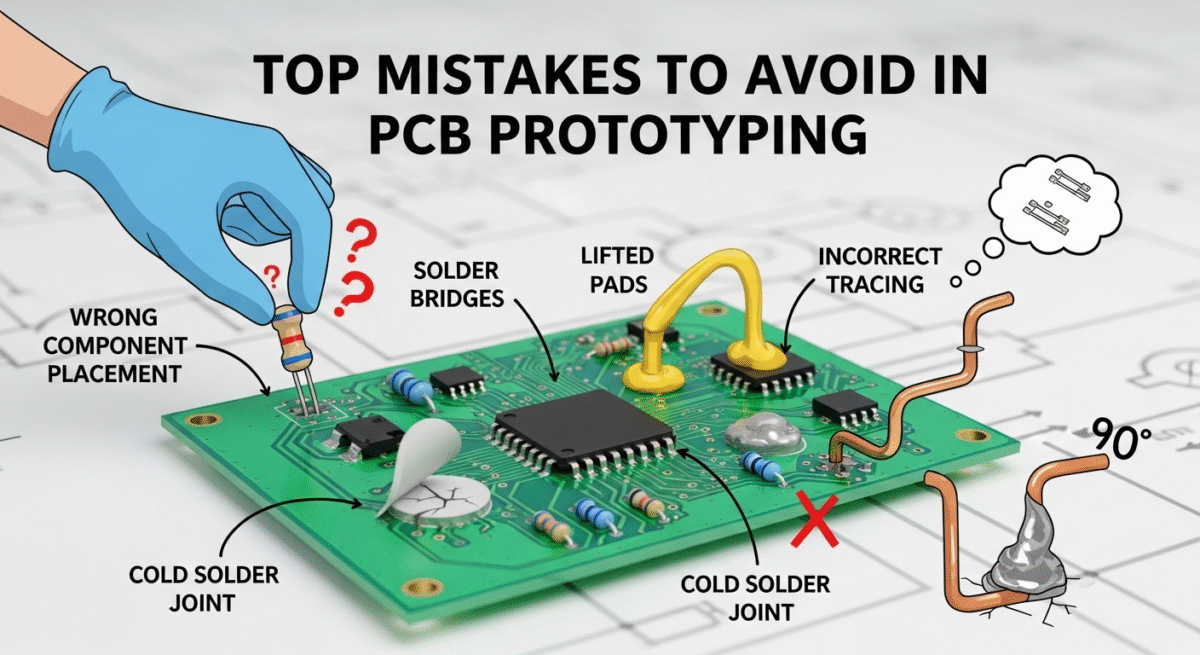
Top Mistakes to Avoid in PCB Prototyping

Top Mistakes to Avoid in PCB Prototyping

PCB (Printed Circuit Board) prototyping is a crucial step in bringing any electronic product to life. It’s the stage where your design meets reality, and where potential flaws can be identified and corrected before mass production. However, the prototyping phase is often fraught with challenges.

Making mistakes during PCB prototyping can lead to costly delays, performance issues, and even complete project failures. At Megabyte Circuit Systems, we’ve seen firsthand how these errors can impact a project’s success. This guide highlights the most common mistakes to avoid during PCB prototyping, helping you streamline the process and achieve optimal results.

1. Insufficient Planning and Documentation

One of the biggest mistakes in PCB prototyping is rushing into the process without adequate planning and documentation. This can lead to a lack of clarity, miscommunication, and ultimately, errors in the design and manufacturing stages.

  • Failing to Define Requirements: Clearly define the project’s objectives, specifications, and performance requirements before starting the design.
  • Incomplete Schematic: Ensure your schematic is complete, accurate, and well-organized. Double-check all component values, pin assignments, and net connections.
  • Poor Documentation: Maintain detailed documentation of your design decisions, component choices, and any modifications made during the prototyping process.

2. Neglecting Design for Manufacturability (DFM)

Design for Manufacturability (DFM) is the process of designing a PCB with manufacturing constraints in mind. Neglecting DFM can lead to problems during fabrication and assembly, resulting in delays and increased costs.

  • Insufficient Pad Size: Ensure that pad sizes are adequate for soldering. Too small pads can lead to poor solder joints, while too large pads can create shorts.
  • Trace Width and Spacing Violations: Adhere to the manufacturer’s recommended trace width and spacing rules to prevent shorts, opens, and signal integrity issues.
  • Via Placement Issues: Avoid placing vias too close to pads or components, as this can cause soldering problems.

3. Incorrect Component Selection

Choosing the wrong components can lead to performance issues, reliability problems, and even safety hazards.

  • Incompatible Components: Ensure that all components are compatible with each other and with the overall system.
  • Incorrect Footprints: Use the correct footprints for all components to ensure proper fit and soldering.
  • Counterfeit Components: Source components from reputable suppliers to avoid counterfeit parts, which can have unreliable performance and safety risks.

4. Poor Layout and Routing

The layout and routing of your PCB have a significant impact on its performance, signal integrity, and manufacturability.

  • Signal Integrity Issues: Minimize trace lengths, avoid sharp bends, and use proper grounding techniques to maintain signal integrity.
  • Power Distribution Problems: Design a robust power distribution network to ensure that all components receive adequate power.
  • Component Placement Challenges: Place components strategically to minimize noise, optimize thermal management, and facilitate assembly.

5. Inadequate Testing and Validation

Failing to thoroughly test and validate your PCB prototype can lead to undetected errors that can cause problems in later stages of production.

  • Limited Testing Scope: Conduct comprehensive testing to cover all aspects of the PCB’s functionality and performance.
  • Lack of Proper Equipment: Use appropriate testing equipment, such as multimeters, oscilloscopes, and logic analyzers, to accurately measure and analyze the PCB’s behavior.
  • Ignoring Test Results: Carefully analyze test results and address any identified issues before moving to the next stage of prototyping.

6. Not Verifying Gerber Files

Gerber files are the industry-standard format for PCB manufacturing data. Failing to verify your Gerber files before submitting them to the manufacturer can result in errors and misinterpretations, leading to incorrect fabrication.

  • Using Outdated Software: Use the latest version of your PCB design software to generate Gerber files.
  • Incorrect Layer Mapping: Ensure that the Gerber files are correctly mapped to the corresponding layers in the PCB design.
  • Missing Files: Verify that all necessary Gerber files are included in the submission package.

7. Poor Thermal Management

Overheating can cause components to fail prematurely and reduce the overall reliability of your PCB.

  • Insufficient Heat Sinking: Use heat sinks or other thermal management techniques to dissipate heat from high-power components.
  • Poor Airflow: Ensure adequate airflow around components to prevent heat buildup.
  • Improper Component Placement: Avoid placing heat-sensitive components near heat-generating components.

8. Ignoring Impedance Control

Impedance control is crucial for high-speed signals to prevent reflections and signal distortion.

  • Uncontrolled Impedance: Specify impedance requirements to the manufacturer and ensure that they are met during fabrication.
  • Incorrect Trace Width and Spacing: Use appropriate trace width and spacing to achieve the desired impedance.
  • Improper Grounding: Implement proper grounding techniques to minimize impedance variations.

9. Communication Breakdown with the Manufacturer

Effective communication with your PCB manufacturer is essential for ensuring that your prototype is fabricated and assembled correctly.

  • Unclear Instructions: Provide clear and concise instructions to the manufacturer.
  • Lack of Feedback: Be responsive to the manufacturer’s questions and provide timely feedback.
  • Ignoring Manufacturer’s Expertise: Take advantage of the manufacturer’s expertise and seek their advice on design and manufacturability issues.

10. Rushing the Prototyping Process

Rushing the prototyping process can lead to mistakes and overlooked issues.

  • Skipping Steps: Avoid skipping essential steps in the prototyping process, such as design reviews and thorough testing.
  • Ignoring Warnings: Pay attention to warnings and error messages generated by your PCB design software or the manufacturer.
  • Lack of Patience: Allow sufficient time for each stage of the prototyping process to ensure accuracy and quality.

Best Practices for Successful PCB Prototyping

Best Practices for Successful PCB Prototyping
  • Plan Thoroughly: Invest time in planning and defining your project requirements.
  • Follow DFM Guidelines: Adhere to DFM guidelines to ensure manufacturability.
  • Choose Components Carefully: Select components that are compatible, reliable, and sourced from reputable suppliers.
  • Optimize Layout and Routing: Pay attention to signal integrity, power distribution, and component placement.
  • Test Thoroughly: Conduct comprehensive testing and validation.
  • Verify Gerber Files: Always verify your Gerber files before submitting them to the manufacturer.
  • Manage Thermal Issues: Implement effective thermal management techniques.
  • Control Impedance: Specify and control impedance for high-speed signals.
  • Communicate Effectively: Maintain clear and open communication with your manufacturer.
  • Be Patient: Allow sufficient time for each stage of the prototyping process.

Final Thoughts

Avoiding these common mistakes can significantly improve the success rate of your PCB prototyping projects. By following best practices and paying attention to detail, you can reduce the risk of errors, minimize delays, and achieve optimal results.

Ready to take your PCB prototyping to the next level? Contact Megabyte Circuit Systems today to learn more about our PCB manufacturing services and how we can help you avoid costly mistakes!

Categories
PCB Guide

How to Choose a PCB Manufacturer: Checklist for Designers

How to Choose a PCB Manufacturer: Checklist for Designers

Selecting the right PCB (Printed Circuit Board) manufacturer is a crucial decision for any electronics designer. The choice impacts product quality, production timelines, and overall project success. A poorly manufactured PCB can lead to product malfunctions, delays in getting to market, and increased costs due to rework or recalls.

This comprehensive guide provides a detailed overview to navigate the selection process, ensuring you partner with a manufacturer that meets your specific needs and helps bring your designs to life. At Megabyte Circuit Systems, we understand the importance of this decision and are committed to providing designers with the support they need through reliable manufacturing and expert consultation.

Understanding Your PCB Manufacturing Needs

Before you start evaluating potential PCB manufacturers, it’s essential to clearly define your project requirements. This foundational step will save you time and effort by narrowing down the pool of potential partners to those that genuinely align with your needs. You should have a solid understanding of the type of PCB you need (single-layer, double-layer, multilayer, flexible, rigid-flex, or specialized like aluminum PCBs), as each type presents its own manufacturing challenges and requirements.

Carefully consider the materials required, taking into account factors like temperature resistance, signal integrity, and mechanical strength. Estimating the production volume (prototype, small batch, or mass production) is also crucial, as it impacts pricing and lead times. Ensure you are aware of any specific certifications (ISO 9001, UL, or RoHS) that your product must meet, as not all manufacturers are certified to the same standards. Finally, note any special requirements such as impedance control for high-speed circuits, blind/buried vias for increased density, or specific surface finishes for enhanced solderability. Thoroughly understanding these needs is the first and most critical step in finding the right manufacturing partner.

Key Factors to Evaluate in a PCB Manufacturer

Key Factors to Evaluate in a PCB Manufacturer

When selecting a PCB manufacturer, carefully consider the following factors to ensure they align with your project needs, quality standards, and budgetary constraints:

1. Manufacturing Capabilities and Expertise

A crucial aspect is the manufacturer’s ability to handle the complexity of your project. Don’t just assume that all manufacturers are created equal. Look for a manufacturer with demonstrable experience in producing PCB’s similar to your design, using similar materials, and applying similar technologies. Specific expertise in areas like HDI (High-Density Interconnect) for miniaturized designs, microvias for high-density routing, and blind and buried vias for multilayer boards is a strong indicator of their capabilities.

Scrutinize the equipment they possess for critical processes like drilling, plating, etching, soldering, and advanced testing. Ensure they have a proven track record with your required materials, including high-frequency laminates for RF applications or specialized substrates for high-temperature environments.

2. Quality Control and Certifications

Quality control is not merely a buzzword; it’s the backbone of reliable PCB manufacturing. Look beyond the marketing claims and delve into their quality control processes. Look for certifications like ISO 9001, which indicates a commitment to quality management, ISO 13485 for medical devices, demonstrating compliance with stringent industry regulations, and AS9100 for aerospace, reflecting the highest standards of quality and reliability. Understanding their inspection processes is also essential.

Do they employ AOI (Automated Optical Inspection) to detect subtle defects? Do they perform thorough electrical testing to ensure functionality? Ideally, they should offer DFM (Design for Manufacturability) analysis as a standard practice. This proactive approach can identify potential issues early in the design phase, saving you time and money by preventing costly rework.

3. Turnaround Time and Lead Times

Time is often of the essence in product development. Investigate their rapid prototyping services and inquire about typical turnaround times, not just for simple boards, but for boards that match the complexity of your design.

Understand their lead times for different production volumes. Can they scale up quickly to meet your demands as your product gains traction? Determine if they offer expedited services for urgent projects. While these services often come at a premium, they can be invaluable when facing tight deadlines.

4. Cost and Pricing Structure

While cost should not be the only determining factor, it’s undoubtedly a significant consideration. Request a detailed quotation that clearly breaks down costs for each stage of the process, including manufacturing, tooling, testing, and any additional services. Don’t hesitate to ask for clarification on any line items that seem unclear.

Clarify their payment terms and accepted methods, and inquire about potential volume discounts. Understanding how their pricing scales with volume can help you make informed decisions about production quantities.

5. Communication and Customer Support

Effective communication is the cornerstone of a successful partnership. Choose a manufacturer that is known for being responsive, proactive, and transparent in their communication. They should have knowledgeable technical staff available to assist with design questions, manufacturing challenges, and any unexpected issues that may arise.

Also, be aware of any potential language or cultural barriers that could hinder communication. Misunderstandings due to language differences can lead to costly errors and delays.

6. Location and Logistics

The geographical location of the manufacturer can have a significant impact on shipping costs, lead times, and communication efficiency. Carefully consider the advantages and disadvantages of domestic versus overseas manufacturers.

While overseas manufacturers may offer lower prices, they can also introduce longer lead times and potential communication challenges. Evaluate shipping costs and potential delays associated with international shipping, and be sure to understand any import/export regulations that may apply to your product.

7. Data Security and Intellectual Property Protection

Protecting your intellectual property is of paramount importance. Before sharing your designs with any manufacturer, ensure they are willing to sign a comprehensive NDA (Non-Disclosure Agreement) that protects your confidential information.

Inquire about their data security measures to safeguard your design files from unauthorized access. Understand their policies regarding intellectual property protection and what steps they take to prevent unauthorized use of your designs.

8. Environmental Responsibility

In today’s world, environmental responsibility is no longer optional; it’s a necessity. Confirm that the manufacturer complies with RoHS (Restriction of Hazardous Substances) directives, which restrict the use of hazardous materials in electronic products. Inquire about their waste management practices, recycling programs, and their overall efforts to reduce energy consumption and minimize their environmental impact. Choosing an environmentally responsible manufacturer can enhance your brand image and appeal to environmentally conscious customers.

Checklist for Choosing a PCB Manufacturer

As you navigate the selection process, refer to this comprehensive checklist to ensure you’ve covered all the essential considerations:

  • Clearly define your PCB requirements (type, materials, volume, certifications).
  • Thoroughly research potential PCB manufacturers online, through industry contacts, and at trade shows.
  • Evaluate their manufacturing capabilities and expertise.
  • Assess their quality control processes and certifications.
  • Determine their turnaround time and lead times for both prototypes and production runs.
  • Compare cost and pricing structures from different manufacturers.
  • Evaluate their communication and customer support.
  • Consider the impact of location and logistics on shipping costs and lead times.
  • Verify their data security measures and intellectual property protection policies.
  • Assess their commitment to environmental responsibility.
  • Request and carefully review sample PCBs they have produced.
  • If possible, conduct a site visit to assess their facilities and meet their team.
  • Check references and testimonials from other clients.
  • Negotiate contract terms to ensure they align with your needs and protect your interests.

Final Thoughts

Choosing the right PCB manufacturer is a critical decision that can significantly impact the success of your electronics projects. By carefully evaluating the factors outlined in this guide, conducting thorough research, and asking the right questions, you can find a partner that not only meets your technical requirements but also aligns with your values and helps you achieve your business goals.

Ready to find the perfect PCB manufacturing partner? Contact Megabyte Circuit Systems today to discuss your project requirements and get a competitive quote! Let us help you bring your innovative designs to life.